

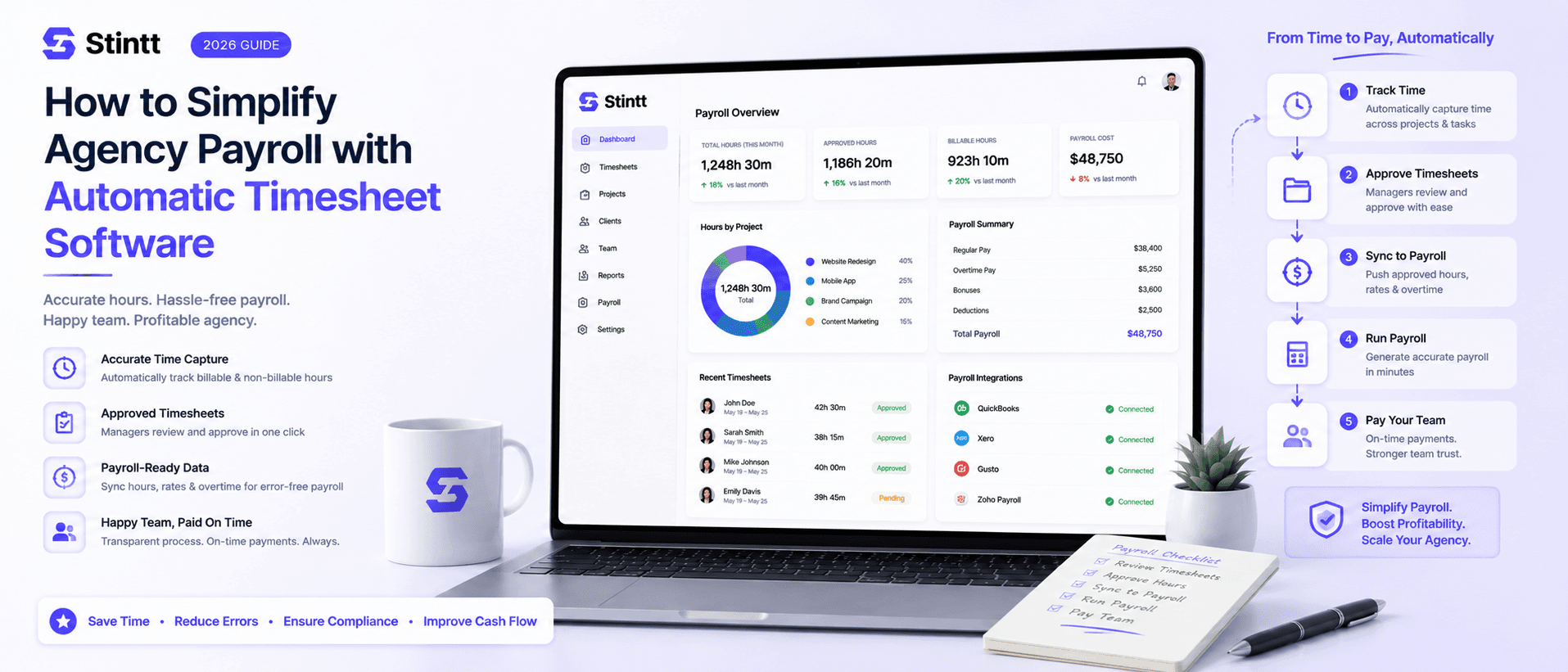
How to Simplify Agency Payroll with Automatic Timesheet Software
The pay run was never the hard part of agency payroll — the chase for accurate hours is. Automatic timesheet software drafts each week straight from Google Calendar, routes every entry through one human approval, and hands payroll a clean, audit-ready file. Here's the flow that works for a small agency, plus the math on what the manual version really costs.
How to Simplify Agency Payroll with Automatic Timesheet Software
The pay run was never the hard part of agency payroll. The hard part is everything upstream: hours that arrive late and half-remembered, in whatever shape each person felt like sending them. Get accurate, approved hours into one place and payroll prep shrinks from a day of chasing to a short review and a single export.
That's the honest job of automatic timesheet software for agency payroll. It doesn't process payroll; your payroll tool or accountant does that. Its job is narrower and more valuable: make the numbers reaching them right the first time. Here's the flow that works for a small agency, with the math on what the manual version costs you.
What payroll prep really costs a small agency
Run the numbers on your own cycle. Say you're a 10-person agency and everyone spends 25 minutes on Friday reconstructing the week from memory, close to the per-person cost in what 26 hours a year of timesheeting actually costs you. That's over 4 hours a week, roughly 18 hours a month, before payroll even starts. Add the chase: if four people are late every cycle and your ops manager spends 15 minutes nudging each one, that's another hour per run. On a fortnightly cycle, chasing alone eats 26 hours a year.
The bigger cost is accuracy. Hours written down on Friday describe Monday badly. The 20-minute client call nobody logged and the two hours of quiet scope creep both vanish, and they corrupt payroll and client invoices at once because both draw from the same broken source. We call this the memory tax, and it compounds every week you leave it alone.
Almost all of this pain traces back to three failure points:
- Entry from memory. People reconstruct the week instead of recording it.
- No review step. Whatever gets typed becomes "official" without anyone checking it.
- Re-keying. Someone copies numbers between spreadsheets, adding a second chance for errors.
Step 1: Draft hours from the calendar
Your team's Google Calendar already holds most of the week: client meetings, internal reviews, the focus blocks people protect for delivery work. An automatic timesheet tool reads that calendar and turns it into a drafted timesheet, so nobody starts Friday from a blank page.

This is the model Stintt is built on. It connects to Google Calendar through read-only OAuth, so it can see events but can't edit or delete anything, and it AI-categorizes each one: meetings, focus work, admin, breaks, time off. No timers to start or stop. Work that never touches the calendar still gets captured, because a team member can drop a standup note in chat and it lands as a drafted entry too. And since Stintt syncs up to 18 months of history, you can backfill the quarter nobody logged.
Timer-based trackers solve a different problem, and they reintroduce the memory problem the moment someone forgets to press start. For a calendar-heavy services team, drafting from the calendar wins because the source data already exists. For the setup mechanics, see how to auto-fill a timesheet from Google Calendar.
Step 2: Put one human approval between draft and pay run
This is the step most agencies skip, and the one that makes hours payroll-grade. An AI draft is a starting point; auto-drafted should never mean auto-billed.
In Stintt, every drafted entry goes through an approval loop: each person reviews their own week and fixes what the AI got wrong, then a manager approves or discards each entry. Nothing counts toward payroll or an invoice until a human signs off. There's an auto-approve option once you trust the flow, but start with manual review. End-of-day reminders nudge anyone who hasn't submitted, which quietly kills the chase.
Two rules make the loop work in practice:
- Set the review deadline 24 to 48 hours before payroll cutoff. That buffer is where you catch overlapping entries, surprise overtime, and miscategorized time, instead of finding them in next month's correction run.
- Let people fix their own entries. Self-service corrections keep the ops manager out of small disputes, and the final numbers become something the team stands behind.
Step 3: Export a file payroll can ingest without re-keying
In full honesty: Stintt doesn't run payroll or claim integrations with payroll software. What it gives you is a clean export of approved hours in the shape your process expects: Excel with one tab per person, CSV, or PDF, with templates, custom columns, and a choice of date formats. You download the file and import it into whatever runs your payroll.
That sounds low-tech, and it's deliberately so. A file is the interface every payroll system, bookkeeper, and accountant already accepts, and because it contains only approved hours, the import stops being a judgment call. Failure point three disappears: you move one file instead of retyping numbers.
The same approved hours can drive the client side of your billing. Stintt generates invoices directly from approved billable hours, with PDF export and a GST-compliant template, so payroll and invoicing stop drifting apart. Both read from one reviewed source.
Keep the records defensible
If you employ non-exempt hourly staff in the US, the Fair Labor Standards Act requires you to keep records of hours worked for at least three years, and DOL Fact Sheet #21 spells out what those records must contain. Two details trip agencies up:
- Overtime is assessed per workweek, a fixed, recurring 168-hour period. It can't be averaged across a longer pay period, which is exactly what monthly spreadsheet totals tempt you to do.
- Short rest breaks of 20 minutes or less count as paid time under DOL break rules, while bona fide meal periods of 30 minutes or more, where the person is fully relieved of duties, generally don't.
One caveat worth stating plainly: calendar-drafted timesheets fit salaried and billable professionals. If you employ non-exempt hourly workers, make sure your records reflect actual hours worked rather than scheduled events, and put classification questions in front of an employment lawyer, not a blog post. A timestamped, human-approved entry trail helps either way, because it shows a real review process instead of an after-the-fact reconstruction.
When this approach is the wrong fit
Be honest with yourself before switching, because no tool fits every team:
- Hourly shift payroll. If a pay run depends on exact punch-in and punch-out times, shift differentials, or clock-rounding rules, a calendar-drafted timesheet won't give you that precision. It works from scheduled blocks, not device-verified timestamps, and Stintt has no GPS or location tracking. Buy dedicated time-clock software for that population.
- Teams outside Google Workspace. Stintt is Google-Calendar-native. If your firm lives in another ecosystem, a calendar-drafted flow has no source data to draw from.
- Work that never reaches calendar or chat. Some entries will always be typed by hand. The win is drafting the bulk of the week that's already on the calendar, and chat capture narrows the gap.
Rolling it out without a surveillance fight
Your team's first question will be "is this monitoring me?", and the answer has to be true, not merely reassuring. With a calendar-based tool, the true answer is good: Stintt takes no screenshots and does no keystroke, screen, or app monitoring. It reads the calendar your team already shares internally, and each person reviews their own drafted entries before submitting. There's a public security page on how data is handled, and we've written up how we approach calendar privacy in detail.
A rollout that builds trust looks like this:
| Phase | What to do | What it proves |
|---|---|---|
| Week 1 | Pilot with one project team | AI categorization matches how you actually bill |
| Weeks 2–3 | Add the review deadline, 48 hours before cutoff | The approval loop catches errors before payroll does |
| Week 4 | Run one full pay cycle from exported approved hours | The file imports cleanly, with zero re-keying |
Run one pay cycle on approved hours
You don't need to commit the whole agency to test this. Connect a calendar, let a week draft itself, review and approve the entries, and export the file. If that export matches what you'd have typed by hand, finished in minutes instead of an afternoon, you've found your new payroll prep.
Stintt has a free plan with no credit card required, and the Workspace trial runs 14 days: try Stintt on your own calendar. Plan details are on the pricing page.
- See how Stintt builds automatic timesheets from Google Calendar
- Set up the Google Calendar timesheet integration
- Try the free timesheet calculator
- Compare plans on Stintt pricing
Related articles
ClickUp Time Tracking to Excel: Step-by-Step Guide
ClickUp has solid built-in time tracking, but exporting it to Excel for clients or management is clunky. Here are three ways to get your ClickUp hours into a proper spreadsheet.
How to Create Timesheets from Asana Tasks
Asana doesn't have native timesheet export. Here's how to turn your Asana tasks and time tracking into professional timesheets for clients and managers.
How to Export Microsoft Teams Meetings to a Timesheet
Your Teams calendar already tracks every meeting. Here's how to turn that data into a professional timesheet — manually, with Power Automate, or with an automated tool.